






Onlook
Onlook is an open-source, AI-enhanced visual code and design editor that bridges the gap between design and development by enabling users to build, edit, and deploy production-ready React/Tailwind web applications directly in the browser. It empowers designers, developers, and product teams to work collaboratively with real code as the source of truth while benefiting from intuitive visual tools and AI assistance.
A Unified Design-to-Code Platform
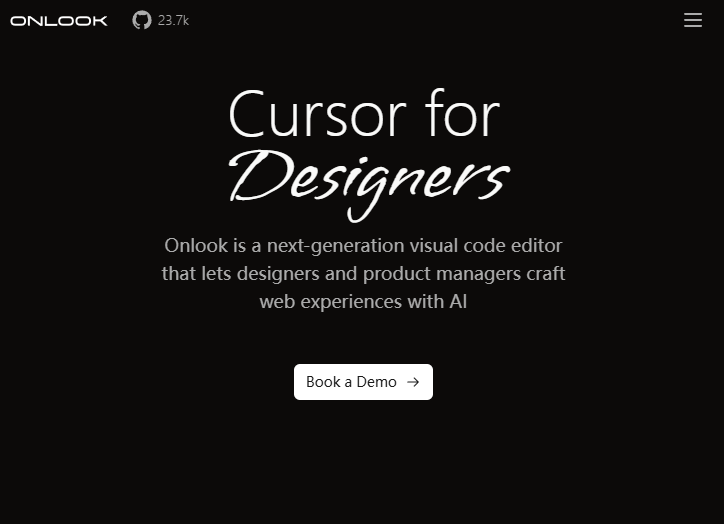
Onlook acts as a “Cursor for Designers” — a visual editor where design edits are immediately reflected in executable React code. This unique approach eliminates the handoff friction between static mockups and working applications, enabling seamless transitions from concept to deployment.
Visual Editing Meets Real Code
Live DOM-Based Canvas
Work directly on your web interface within an infinite canvas that mirrors your application. Onlook provides drag-and-drop controls, precise layout tools, and real-time styling adjustments that update the underlying code as you edit visually.
Layer & Component Management
Navigate complex UIs with an intuitive layer panel and reusable component structures. This support lets users organize elements like in traditional design tools while generating clean, maintainable React components.
AI Assistance for Development
Onlook integrates AI capabilities to assist with design refinement, code generation, debugging, and layout suggestions. Users can describe UI goals in natural language and watch Onlook generate or modify React components that align with project architecture.
Tight Integration with Modern Tech Stacks
React + TailwindCSS Support
Onlook’s editor is purpose-built for Next.js/React projects styled with TailwindCSS, enabling users to import existing codebases or start from templates and edit both UI and behavior without switching tools.
Figma Import & Conversion
Teams can bring Figma designs into Onlook and convert them into working React components, preserving visual fidelity while making designs interactive and functional.
Collaboration & Workflow Features
Version History & Undo
Automatic snapshots and version history ensure that teams can experiment confidently, rollback changes when needed, and keep track of design evolution.
Deployment & Team Scaling
Onlook supports deployment of completed applications with custom domains, branching workflows, and centralized style systems — features tailored for team usage. For self-hosted workflows, the open-source nature lets teams customize and extend the platform.
Why Onlook Matters
Onlook targets the longstanding challenge of translating design intent into production-ready code. By making code the single source of truth and enabling designers to operate in a visual context with full access to code semantics, the platform enhances collaboration between designers, developers, and product teams.
Related AI Tools




0 Comment