






Microsoft Designer
Microsoft Designer is a cloud‑based AI graphic design and image creation tool that empowers anyone to craft visuals, edit photos, and generate unique designs using natural language prompts. With powerful generative AI and seamless integration across Microsoft apps, Designer makes professional‑looking graphics accessible—even without design experience.
What Is Microsoft Designer?
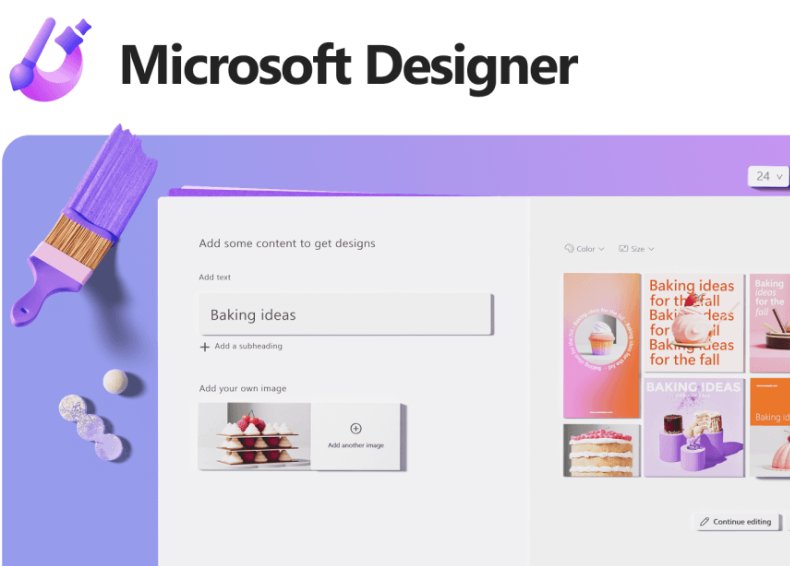
Microsoft Designer is an AI‑powered design platform that helps users create stunning visuals, social media graphics, invitations, cards, and more — simply by typing what they imagine. It combines generative text‑to‑image AI, intuitive editing tools, and customizable templates to simplify creative tasks that traditionally required advanced design skills. Designer is available on the web, on mobile platforms, and through integration with popular Microsoft 365 applications.
Key Features & Capabilities
AI‑Generated Designs
Users can describe what they want to create in plain language and let AI generate high‑quality visual designs tailored to that prompt. This includes custom images, layouts, captions, and visuals for personal or professional use.
Templates & Customization
Designer provides a large library of customizable templates for social posts, invites, collages, stickers, and more. These templates give users a head start while allowing them to easily edit text, colors, and layouts to match their vision.
Photo Editing Tools
Beyond creation, Microsoft Designer includes built‑in tools for photo enhancement, background removal, cropping, and adjustments. These image editing features make it easy to refine visuals without needing separate software.
Cross‑Platform Accessibility
Designer works across web browsers and has mobile apps for iOS and Android, enabling users to create and edit on the go. It’s also increasingly integrated within other Microsoft tools like Word, PowerPoint, and Microsoft Photos.
Typical Use Cases
- Social Media Content Creation – Generate eye‑catching posts, banners, and visuals optimized for platforms like Instagram and LinkedIn.
- Invitations and Cards – Create personalized cards or invitations for events such as birthdays, holidays, and celebrations.
- Brand Visuals – Build consistent visual assets for personal branding or small business promotions using style presets and templates.
- Photo Enhancement – Edit and improve existing images with AI tools to produce polished visuals without complex design software.
Why Use Microsoft Designer?
Microsoft Designer breaks down design barriers by combining advanced generative AI with intuitive controls, so users don’t need prior training to produce polished visuals. Whether you’re grabbing attention on social media, creating creative personal projects, or enhancing professional presentations, Designer accelerates visual creation with minimal effort. Its integration with Microsoft 365 also ensures designs can be incorporated seamlessly into documents, emails, and slideshows.
Related AI Tools





0 Comment