






Napkin AI
Napkin AI is a visual intelligence platform that automatically converts text into professional visuals such as diagrams, flowcharts, mind maps, infographics, charts, and slide-ready assets. Designed for business storytellers, educators, marketers, and content creators, Napkin turns written ideas into polished visuals quickly — without requiring design skills or complex prompts. Its editing tools, export formats, collaboration features, and flexible pricing make it useful for presentations, documentation, social content, and strategic communication.
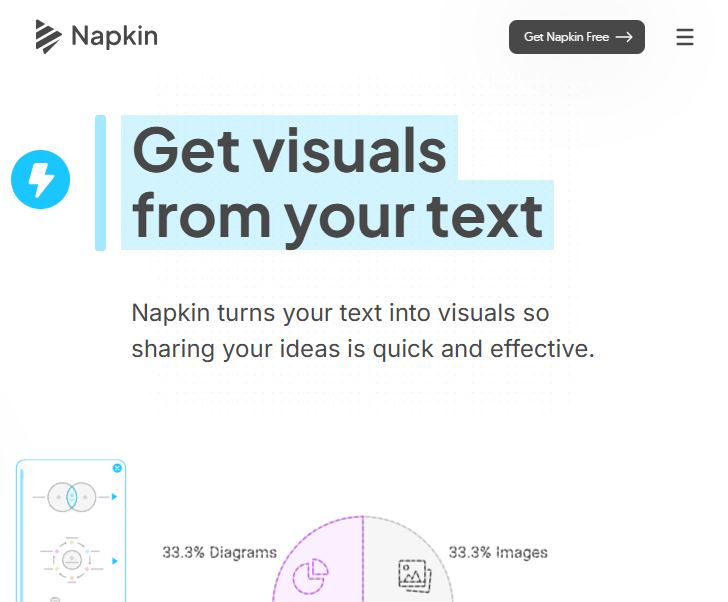
Transform Written Ideas into Visuals
Instead of starting with a blank canvas or manual design edits, users can paste or import text directly (including DOC, PPT, PDF, Markdown, or HTML) and let Napkin generate relevant visuals in seconds. It interprets your content and offers multiple visual suggestions — from charts and diagrams to mind maps and processes — that can then be customized with colors, fonts, icons, and layout adjustments.
Craft Better Presentations and Documents
Napkin isn’t just for standalone visuals — it helps you enhance presentations, reports, and pitches. Export your graphics and ideas in versatile formats like PNG, PDF, SVG, or PowerPoint (PPT) so you can reuse them across tools like Google Slides, Canva, Notion, Word, and more. This export flexibility improves workflow integration across platforms.
Collaboration & Real-Time Editing
The platform supports team workspaces and real-time collaboration, allowing users to invite teammates, co-edit visuals, and leave comments. This makes Napkin suitable for team ideation and communication workflows, where complex topics need to be discussed and refined collectively.
Intuitive Customization Without Design Skills
Even after automatic generation, visuals remain fully editable. You can tweak everything — colors, typography, visual connectors, icons, and layout — to match personal branding or communication goals. Built-in styles, fonts, and icon sets help maintain consistency and professional quality across projects.
Pricing Structure
Napkin AI uses a freemium + subscription model with a credit-based system for generating visuals. Credits are generally consumed roughly on a per-word basis of selected text, so larger or more complex visuals use more credits.
Free Plan — $0/month
- Includes 500 AI credits per week.
- Unlimited visual editing.
- Unlimited file import (PPT, PDF, DOC, HTML, Markdown).
- Unlimited export to PNG & PDF.
- Built-in styles, fonts, and standard icons.
- Napkin branding appears on visuals.
Plus Plan — ~$9/person/month
- Everything in Free.
- 10,000 AI credits per month.
- Unlimited PPT & SVG export.
- Up to 3 brand styles.
- Bold icon set.
- Remove Napkin branding.
- Team management and billing features.
Pro Plan — ~$22/person/month
- All Plus features.
- 30,000 AI credits per month.
- Exclusive design templates.
- Unlimited custom branding.
- Upload your own fonts.
- Advanced team management and billing.
Enterprise Plans
- Custom pricing on request with extended admin controls and usage allotments.
- Annual billing typically offers a 25% discount compared to monthly billing.
Who It’s Best For
Napkin AI is especially helpful for:
- Business communicators who want to turn reports, ideas, or pitches into visuals that stick.
- Educators and trainers creating diagrams or mind maps to explain concepts clearly.
- Marketing professionals who need quick social graphics, infographics, or data stories.
- Researchers and writers looking to convert long text into digestible visual summaries.
- Teams who collaborate on visuals or need shared workspaces with versioning and commenting tools.
Related AI Tools


0 Comment