






Google NotebookLM
Google NotebookLM is an AI-enhanced research and note-taking assistant that helps users understand, organize, and interact with large amounts of information from uploaded documents, web links, slides, PDFs, and other sources. Powered by Google’s Gemini AI models, NotebookLM generates summaries, explanations, interactive study aids, and even audio and video overviews tailored to your content — making research, learning, and writing more efficient and engaging.
What is NotebookLM?
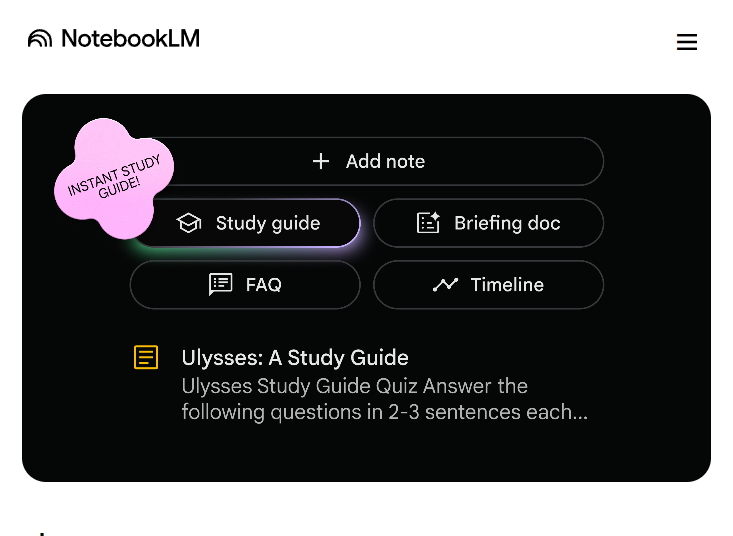
NotebookLM (short for “Notebook Language Model”) is a cloud-based AI research tool developed by Google Labs. It serves as a virtual research assistant that digests user-provided sources and enables natural-language interaction to synthesize insights, answer questions, produce summaries, and generate structured outputs like FAQs, timelines, and study guides.
Core Capabilities
AI-Driven Summarization
NotebookLM can read, comprehend, and summarize multiple types of content — including PDFs, Google Docs, web pages, slides, and text files — into concise notes, study guides, and personalized explanations.
Natural Language Q&A
Users can ask NotebookLM questions in plain English (or many other languages), and the AI will respond with evidence-based answers grounded in the uploaded sources. These answers include citations linking back to the original content to support accuracy.
Audio & Video Overviews
NotebookLM offers Audio Overviews that turn text content into engaging podcast-style discussions, now available in 50+ languages. Video overview features generate visual summaries in dozens of languages as well, widening accessibility and learning options.
Research Tools & Organization
Users can build structured notebooks composed of multiple sources and customize AI output styles, timelines, FAQs, and mind maps. NotebookLM also lets you save, organize, and export insights for later use.
Collaboration & Sharing
Notebooks can be shared with others via links or email; shared viewers can interact with summaries and AI content, though editing permissions may be limited depending on sharing settings.
Mobile Accessibility
Native iOS and Android apps allow users to access NotebookLM on the go — including listening to audio overviews offline, adding sources via mobile sharing, and interacting with content from anywhere.
How It Works
- Upload or link sources: You add documents, web pages, slides, PDFs, or other materials you want the AI to learn from.
- Interact with AI: Ask questions, request summaries, generate study guides, or produce audio/video overviews based on your content.
- Organize outputs: Save notes, FAQs, timelines, and audio/video plans within your notebook for reference or export.
Pricing & Versions
- Free Tier: Available to any Google account and includes core NotebookLM functionalities with usage limits (e.g., up to 100 notebooks and 50 sources per notebook).
- NotebookLM Plus / Premium: Bundled with Google One AI Premium or Google AI Pro subscriptions, offering higher quotas for notebooks, sources, chat interactions, and audio/video generations, as well as advanced sharing and customization controls.
Use Cases
- Student Research & Study: Quickly synthesize textbooks, lecture notes, and research papers into study guides, flashcards, and concise summaries.
- Professional Knowledge Work: Analyze reports, technical documentation, and industry research efficiently.
- Content Creation & Writing: Generate structured FAQs, timelines, email drafts, and briefing documents grounded in source material.
- Multilingual Learning: Use audio and video summaries in over 50 languages to improve comprehension and accessibility.
Benefits
- Contextual AI insights: Reactions and summaries are tied to your own sources rather than global web data, improving relevance and traceability.
- Multimodal outputs: From text summaries to podcasts and video overviews, NotebookLM adapts to various learning and presentation styles.
- Cross-platform support: Available via web and mobile apps, facilitating learning and research anywhere.
Considerations
While NotebookLM is powerful as a contextual research assistant, accuracy depends on the input sources and prompt clarity; like all generative tools, it may produce imperfect outputs and should be reviewed critically.
Related AI Tools





0 Comment