






Cursor
Cursor is an AI‑enhanced coding platform and intelligent development environment (IDE) that supercharges software creation by combining advanced generative models with a complete coding workflow. Designed for professional developers and teams, Cursor supports code generation, intelligent editing, context‑aware suggestions, and autonomous AI agents to help build and maintain software more efficiently than traditional coding tools.
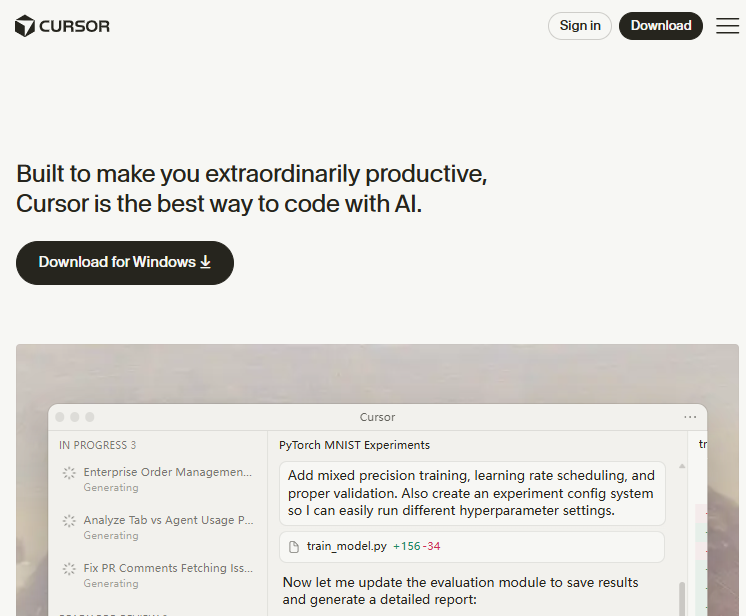
What Is Cursor?
Cursor is an AI‑powered code editor and development platform built to make developers more productive by integrating cutting‑edge artificial intelligence directly into the coding experience. Unlike traditional IDEs, Cursor embeds context‑aware AI that understands your entire codebase, predicts future edits, and executes complex operations based on natural language prompts.
Cursor aims to reduce repetitive tasks, help with code review, automate fixes, and accelerate development by acting as a collaborative “AI teammate” that stays in sync with your workflow.
Core Features
AI Code Completion & Editing
Cursor’s autocomplete engine predicts next lines of code with high precision, helping you breeze through repetitive changes and edits. It anticipates your intentions and can even modify entire functions based on simple prompts.
Autonomous AI Agents
Beyond suggestions, Cursor features AI agents that can perform multi‑step tasks—such as refactoring, debugging, and implementing new features—based on natural language requests. This shifts the IDE from a passive editing tool to an active development partner.
Full IDE & Ecosystem Integration
Cursor functions as a complete IDE while maintaining compatibility with existing tools and workflows. It retains support for developer favorites like editor themes, extensions, and keybindings while significantly enhancing them with AI intelligence.
Codebase Understanding
The platform indexes your entire repository to comprehend project structure, dependencies, and logic, enabling contextually accurate suggestions, efficient search, and smarter modification recommendations.
Typical Use Cases
- Accelerated Development: Slash the time spent on routine coding tasks through AI‑assisted generation and autocomplete.
- Complex Refactoring & Debugging: Use Cursor agents to help automate intricate refactors or to locate and resolve bugs efficiently.
- Team Collaboration: Streamline team development with integrated AI support that understands and adapts to team conventions.
- Enterprise‑Level Projects: Scale software creation and maintenance across large codebases used by engineering teams in major companies.
Cursor’s approach appeals to professional developers who want the power of generative AI without losing the precision and control of a traditional coding environment.
Productivity & Innovation Benefits
By combining AI‑enhanced autocompletion, autonomous editing agents, and deep project understanding, Cursor aims to reduce repetitive tasks and cognitive load for developers. This not only speeds up delivery but can also improve code quality by suggesting improvements and automating error‑prone manual steps.
Cursor’s development has attracted significant attention and investment, and it continues to evolve with features like bug detection bots and expanded model support that further empower engineers.
Related AI Tools






1 Comment
Seriously, if you code and you're not using Cursor, you're making your life harder. This thing reads my mind. Stuck on a bug? Ask it. Need to write a function? Describe it. It just... does the work. My productivity has skyrocketed.