






Miro Mind Map
Miro’s Mind Map tool is a collaborative, AI-enhanced visual brainstorming and thinking feature within the Miro online whiteboard platform. It helps teams and individuals organize ideas, explore relationships, brainstorm actively, and turn complex projects into structured visual diagrams on an infinite, shareable canvas.
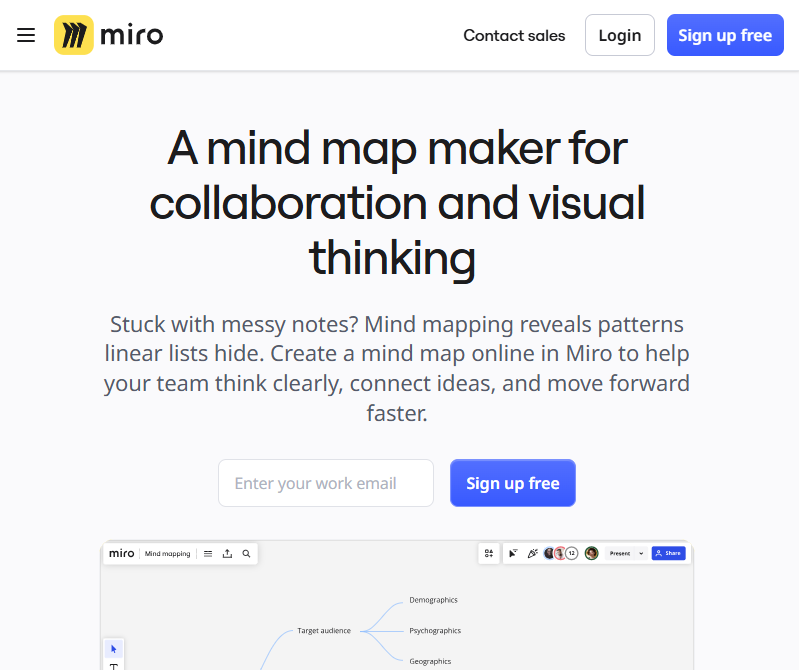
What Is Miro Mind Map?
Miro Mind Map is a visual diagramming and idea organization tool built into the Miro online collaborative workspace. With Miro Mind Maps, users start from a central concept and create branching nodes representing sub-ideas, tasks, or themes. This flexible visual format makes it easier to capture, structure, and connect thoughts—particularly during brainstorming, planning, or problem-solving sessions.
Miro’s infinite canvas allows you to grow ideas without limits, and its dynamic layout tools keep your mind map clean and structured even as complexity increases.
Key Features & Capabilities
AI-Assisted Expansion
Miro’s AI features can automatically expand your input into a multi-branch mind map, generating relevant themes and connections from prompts—helpful for breaking through creative blocks and accelerating ideation.
Drag-and-Drop Editing
Easily create nodes and branches, reposition ideas, and use auto-layout to maintain a tidy visual structure. You can also apply custom colors, fonts, and styles to highlight key ideas or categories.
Real-Time & Asynchronous Collaboration
Team members can edit the mind map together in real time or contribute asynchronously. Comments, tags, and sticky notes help make collaboration productive and interactive.
Presentation & Sharing
Convert your mind map into a presentation or export it as an image or PDF. Miro also supports embedding mind maps into tools like Confluence, Notion, and Microsoft Teams for broader distribution and integration.
Infinite Canvas
The mind map resides on Miro’s infinite whiteboard canvas, allowing ideas to grow organically without space limits. You can also mix mind maps with other visual elements—like sticky notes, diagrams, and documents—on the same board.
Typical Use Cases
- Brainstorming Sessions: Rapidly capture and connect ideas around a central theme.
- Project Planning: Outline project components, tasks, risks, and dependencies visually.
- Note-Taking & Knowledge Mapping: Turn meeting notes or research into organized visual summaries.
- Strategy & Problem Solving: Break down complex problems into manageable parts and explore solutions.
- Team Workshops: Facilitate creative sessions with remote or hybrid teams using collaborative editing.
Why Miro Mind Map Matters
Unlike standalone mind-mapping tools, Miro integrates mind maps into a broader collaborative ecosystem—including sticky notes, flowcharts, diagrams, and project boards—making it ideal for cross-functional teams. With AI support and infinite scalability, Miro Mind Maps streamline ideation and planning, helping teams move from concept to execution more effectively.
Miro’s mind-mapping functionality is available on multiple platforms, including browser, desktop, and mobile applications, making it accessible for both individual and distributed team workflows.
Related AI Tools





0 Comment