






Zoom
Zoom is a cloud-based video conferencing and communication platform that enables users to host virtual meetings, webinars, chats, and collaborative sessions with high-quality audio and video. Widely adopted by businesses, educators, and individuals around the world, Zoom makes remote interaction seamless and efficient.
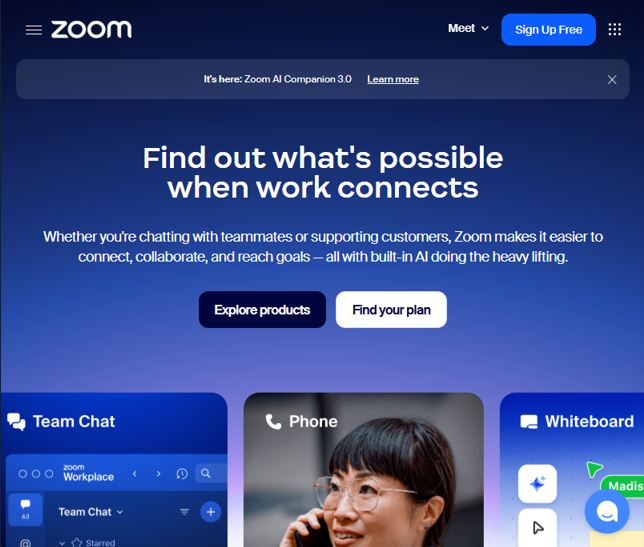
What Is Zoom?
Zoom is a leading video communications tool designed to support live virtual meetings, chats, webinars, and collaboration from anywhere with an internet connection. It works across desktop, mobile, and browser interfaces, allowing participants to join with ease and flexibility.
Whether for business meetings, educational classes, team collaboration, or social gatherings, Zoom’s core mission is to make virtual communication intuitive, reliable, and scalable.
Core Features
Zoom offers a comprehensive suite of features for online communication:
- High-Quality Video & Audio – Reliable HD video conferencing with options for gallery or speaker view.
- Screen Sharing & Whiteboards – Share your screen or use interactive whiteboards for real-time collaboration and presentations.
- Chat and File Sharing – In-meeting or persistent chat with support for file transfer.
- Breakout Rooms – Divide participants into smaller groups for focused discussions.
- Meeting Recording & Transcription – Record sessions to local or cloud storage with searchable transcripts.
- Virtual Backgrounds & Video Controls – Customize your background or refine your camera appearance.
These tools help make Zoom useful not just for meetings but also for interactive training, team collaboration, and large-scale online events.
Use Cases
Zoom’s versatility makes it suitable for many scenarios:
- Remote Work & Business Meetings – Coordinate teams, clients, or partners across time zones.
- Education & Online Classes – Teachers and facilitators can deliver lessons, host discussions, and give presentations virtually.
- Webinars & Events – Host large audience webinars with Q&A, polling, and engagement tools.
- Social & Personal Use – Connect with friends and family for virtual gatherings or celebrations.
With integrations into calendars and productivity apps, users can schedule and launch Zoom sessions directly from familiar workflows.
Pricing & Plans
Zoom offers multiple pricing tiers to suit different needs:
- Free Plan – Basic video conferencing with limitations on group meeting duration and participant count.
- Paid Plans (Pro, Business, Enterprise) – Increase participant limits, extend meeting duration, add admin tools, recordings, and business features with scalable subscriptions.
- Add-Ons & Advanced Features – Optional add-ons like large-meeting licenses, webinars, Zoom Phone, and API access are available for enhanced capabilities.
This flexible pricing model helps individuals and teams start with a free tier and scale up as their collaboration needs grow.
Productivity & Integrations
Zoom integrates with a wide range of third-party tools including Google Calendar, Outlook, Slack, CRM systems, and project management apps. This allows users to schedule, join, and manage online meetings from within the tools they already use.
Developers can also leverage Zoom’s APIs and SDKs to embed video conferencing into custom applications and workflows.
Security & Reliability
To safeguard meetings and user data, Zoom supports features such as waiting rooms, password protection, role-based access controls, and end-to-end encryption where available. These security measures help protect virtual sessions from unwanted interruptions.
Related AI Tools


0 Comment