






Bing Image Creator
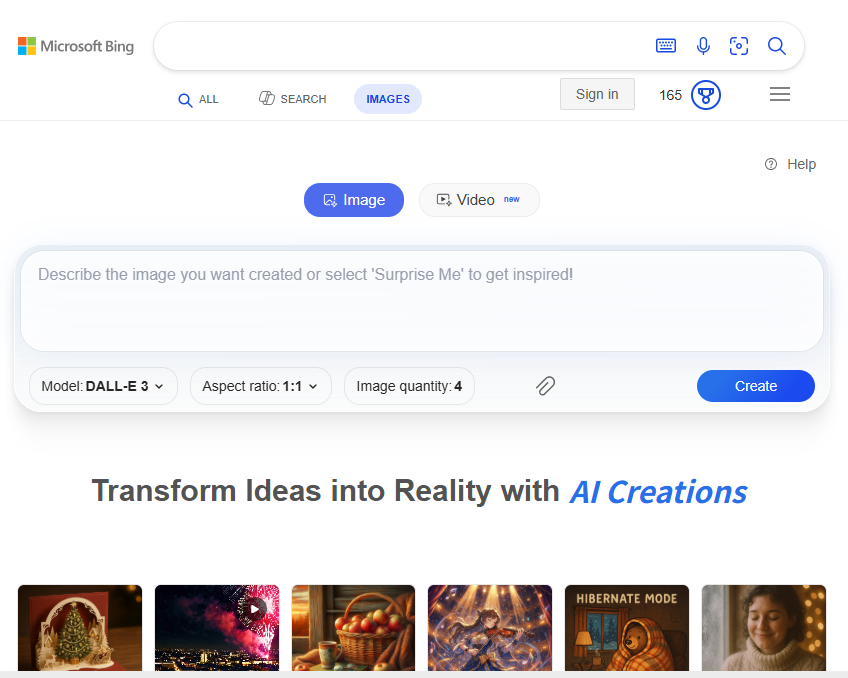
Bing Image Creator is a free AI-powered image generation tool developed by Microsoft, integrated with Bing search and Microsoft Edge. It enables users to turn text prompts into AI-generated visuals using multiple advanced models including DALL-E 3, GPT-4o, and Microsoft’s own MAI-Image-1. Users can create, remix or enhance images directly from the web interface, the Bing search bar, or within supported Microsoft apps.
What Is Bing Image Creator?
Bing Image Creator is an AI image generator built into the Bing ecosystem that lets users generate custom images from text descriptions. Launched by Microsoft as part of its push into generative AI tools, this service uses state-of-the-art models to produce artistic, realistic, and stylized visuals based on user prompts. It is accessible via bing.com/create, the Bing search bar, or Microsoft Edge.
Key Features
AI Image Generation from Text
Users input descriptive text prompts, and the tool produces corresponding images powered by AI models such as DALL-E 3, GPT-4o, and MAI-Image-1 — the latter being Microsoft’s new in-house model optimized for detail and lighting.
Multiple AI Model Options
Bing Image Creator lets users choose from different generation models including OpenAI’s DALL-E 3, OpenAI’s GPT-4o, and Microsoft’s proprietary MAI-Image-1, offering flexibility in output style, texture, and realism.
Image Remix & Upload Support
In addition to generating images from text, users can upload an image to remix or enhance it—for instance by adding styles, background changes, or visual improvements through AI.
Integration with Microsoft Search & Edge
The service can be used not only via its dedicated page but also directly from the Bing search bar or the Microsoft Edge address bar by typing commands like “create an image of …”, making it easy to access without navigating away from search results.
Responsible AI & Safety Controls
Microsoft implements Responsible AI principles, including content moderation and prompt blocking for harmful or unsafe requests. Bing Image Creator also applies content credentials based on the C2PA standard to help identify AI-generated images.
Creation Boosts with Microsoft Rewards
Users earn Microsoft Rewards points through Bing searches and activities that can be redeemed for boosts to accelerate image generation (e.g., faster rendering). The system includes a quota of free image generations per period, with boosts replenished over time.
How It Works
- Sign In: Log in with a Microsoft account to start using the tool.
- Enter Prompt: Type a detailed text prompt describing the visual you want to create.
- Select Model & Settings: Choose from available AI models and specify options like aspect ratio if supported.
- Generate Image: Submit the prompt to receive AI-generated images; results are typically shown in sets and can be downloaded or remixed.
- Earn Rewards: Use Microsoft Rewards to redeem boosters that speed up generation or increase quota.
Pricing & Usage
- Free to Use: Bing Image Creator is free to access with a Microsoft account; usage is managed via free quotas and Microsoft Rewards boosts rather than a traditional subscription or paid credits system.
- Microsoft Rewards System: Additional faster image generations can be obtained by redeeming Rewards points earned from Bing search and daily activities.
- No Paid Tiers on Official Page: Official Microsoft pages do not list cash-based subscription plans; usage beyond the free quota is handled with Rewards points rather than direct payment.
Use Cases
Bing Image Creator is suitable for:
- Creators & Social Media Users who want quick visuals for posts and stories.
- Bloggers and Content Marketers generating custom illustrations.
- Students & Educators needing illustrative graphics for presentations.
- Design Experimenters exploring creative prompts without advanced design skills.
Benefits
- Free and Integrated: No subscription required and built into Bing search experiences.
- Multiple Models: Choice of generation engines for versatility in creative output.
- Easy Access: Use via web, search bar, or Microsoft Edge without separate app installs.
- Boostable Performance: Microsoft Rewards boosts support faster and more frequent image creation.
Related AI Tools





0 Comment