






Microsoft Copilot
Microsoft Copilot is an AI‑powered assistant and productivity platform that integrates with Microsoft services and apps to help users automate tasks, analyze information, generate content, and collaborate more effectively. Built on advanced large language models and deeply connected to Microsoft 365 data and tools, Copilot brings intelligent assistance into everyday workflows for individuals and teams.
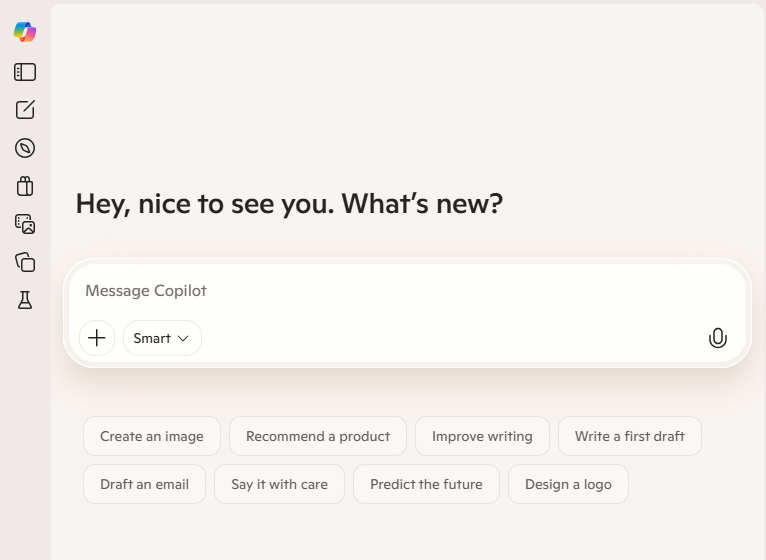
What Is Microsoft Copilot?
Microsoft Copilot is a generative AI assistant designed to help users get more done by combining deep language understanding with real‑world applications. Unlike standalone chatbots, Copilot connects to a user’s Microsoft 365 data—such as emails, documents, calendars, and chats—and offers contextual insights and actions directly within familiar apps and services.
Copilot is available through the Copilot web experience at copilot.microsoft.com, as well as within Windows, Microsoft 365 apps (Word, Excel, Outlook, Teams), and selected partner platforms. It functions as both a conversational assistant and a task‑execution engine, supporting everything from drafting content to analyzing data.
Core Features & Capabilities
Microsoft Copilot includes a rich set of features that help improve productivity and streamline workflows:
- AI‑Driven Chat & Insights – Ask questions in natural language and receive answers grounded in your work data and web information.
- Contextual Integration with Microsoft 365 – Copilot works inside Outlook, Word, Excel, Teams, and more, providing real‑time suggestions, summaries, and content generation.
- Task Automation with Copilot Actions – Automate routine work like scheduling meetings, summarizing emails, preparing meeting agendas, or gathering research with simple prompts.
- Agents & Copilot Studio – Build, customize, and deploy AI agents that perform specialized tasks, integrate SharePoint knowledge, or manage workflows.
- Security & Enterprise Controls – Enterprise‑grade data protection and management features give IT teams control over Copilot usage and privacy.
- Collaboration Features – Shared workspaces, group chats, and team summaries help teams coordinate work and stay aligned.
These capabilities make Copilot more than a simple AI assistant—it becomes an extension of a user’s work environment, seamlessly blending into existing tools and processes.
Practical Use Cases
Microsoft Copilot can be used in many professional and personal scenarios, including:
- Productivity & Knowledge Work – Draft emails, write documents, and generate presentations with AI‑assisted editing and creation.
- Data Analysis & Reporting – Use natural language to analyze spreadsheets, extract insights, and build reports without complex formulas.
- Meetings & Communication – Summarize Teams meetings, highlight action items, and generate follow‑ups automatically.
- Collaboration & Project Management – Coordinate tasks across teams, compile shared documents, and manage group discussions.
- Everyday Personal Assistance – Schedule events, scan information, and get answers to questions that help manage daily tasks.
By leveraging AI rooted in user data and integrated applications, Copilot reduces repetitive work and helps users focus on high‑value activities.
Plans & Pricing
Microsoft Copilot is typically offered as an add‑on to Microsoft 365 plans with flexible options for individuals, businesses, and enterprises:
- Microsoft 365 Copilot Chat – Basic AI chat functionality available with eligible Microsoft 365 subscriptions.
- Microsoft 365 Copilot Business – Paid add‑on that brings AI assistance across apps like Word, Excel, Outlook, and Teams, with agent creation and management capabilities. Pricing starts around $18–$21 per user/month (paid annually) depending on plan and promotions.
- Enterprise & Studio Plans – Advanced features, deeper controls, and dedicated Copilot Studio options for developing custom workflows and AI agents.
Licensing and pricing vary by region and plan type, and enterprise customers can contact Microsoft for tailored solutions.
Productivity & Innovation Benefits
With Copilot’s tight integration into productivity tools and its grounded access to user data, users can:
- Save time on content creation and analysis
- Automate repetitive workflows
- Generate insights and summaries on demand
- Collaborate more seamlessly across teams
This combination of AI‑driven capabilities helps organizations improve efficiency, creativity, and decision‑making.
Related AI Tools




0 Comment