






TexttoSpeech
TexttoSpeech.im is a cloud-based AI-powered text-to-speech converter that transforms written text into natural-sounding audio with support for numerous languages and voice styles. It offers an easy-to-use online interface, customizable speech settings, downloadable MP3 outputs, and flexible options for personal, educational, or commercial use.
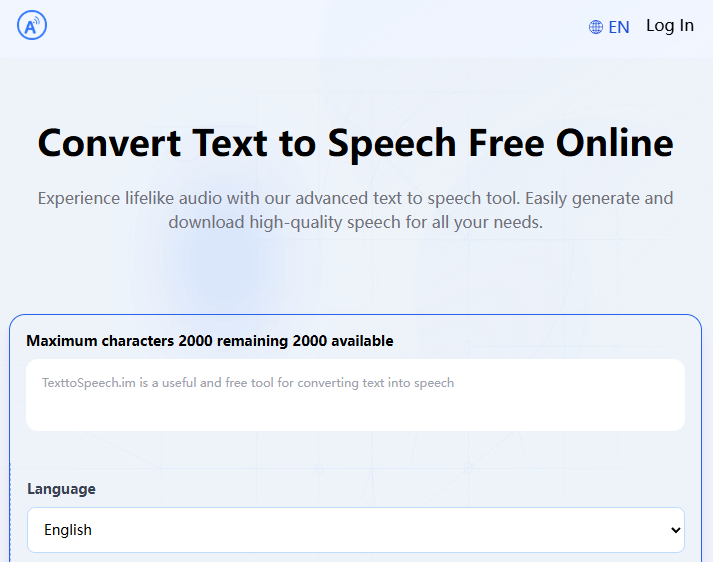
What Is TexttoSpeech.im?
TexttoSpeech.im is a browser-accessible text-to-speech platform designed for fast and high-quality speech synthesis. Users paste or type text into the tool, select a language and a voice, and instantly generate natural-sounding audio. It supports dozens of languages and hundreds of voice variations, making it suitable for voiceovers, narration, accessibility applications, and more.
Core Capabilities
Multi-Language & Voice Support
TexttoSpeech.im supports 50+ languages and offers an extensive set of voice options with various accents, genders, and emotional tones. This breadth allows creators to tailor speech output to global audiences or specific stylistic needs.
Customizable Speech Output
Users can adjust speech speed, volume, and voice style, enabling them to fine-tune the generated audio for clarity, engagement, or specific project requirements.
Fast and Accurate Synthesis
The platform uses advanced AI models to produce high-quality, natural-sounding speech quickly, making it a convenient choice for content creators, educators, and accessibility use cases.
Download & Offline Use
Generated speech can be downloaded as MP3 files for offline listening or integration into videos, presentations, podcasts, and other media workflows.
API Integration
TexttoSpeech.im supports API access for developers, enabling seamless text-to-speech capabilities to be embedded into applications, services, or automated content pipelines.
Typical Use Cases
- Voiceovers for Videos and Media — Create engaging narration tracks for social media, tutorials, or promotional videos.
- Educational Content — Produce audio versions of lessons, e-learning modules, and pronunciation guides.
- Accessibility & Assistive Technology — Convert written text into speech to support users with visual impairments or reading difficulties.
- Podcasts and Audio Presentations — Quickly generate episodes, intros, and spoken summaries.
- Multilingual Content Creation — Reach diverse audiences by generating speech in multiple languages and styles.
How to Use
- Input Text: Paste or type the text you want to convert.
- Choose Settings: Select language, voice, speaking rate, and other options.
- Generate Speech: Click “Convert” to produce the audio.
- Listen & Download: Play the generated voice online or download the MP3 for offline use.
Pricing & Accessibility
TexttoSpeech.im offers a free tier for basic usage without requiring user registration, along with paid options for higher usage limits and advanced features, making it flexible for both casual and professional users.
Benefits & Considerations
- Ease of Use: No software installation or account creation required for basic use.
- Cross-Device Compatibility: Works across desktops, laptops, and mobile devices like iPhones.
- Voice Variety: A wide selection of voices improves versatility across projects.
- Free Usage: Generous free plan ideal for students, hobbyists, and small projects.
- Commercial Use Consideration: Paid plans may be necessary for commercial rights and higher quotas.
Related AI Tools





0 Comment